
How To Install Mangohud on Ubuntu 22.04
To install mangohud on Ubuntu, run the command “sudo apt install mangohud -y” in the terminal of Ubuntu because it comes in its default repository
To install mangohud on Ubuntu, run the command “sudo apt install mangohud -y” in the terminal of Ubuntu because it comes in its default repository

To install pgAdmin on Ubuntu, run the command “sudo apt install pgadmin4 -y” in the terminal to install both web and desktop modes.

The error “The following packages have unmet dependencies” is invoked if dependencies are broken, the repository is corrupted, or packages are held back

The “Unable to correct problems, you have held broken packages” occurs when apt repository isn’t updated, has broken dependencies, or the system holds packages.

The “sudo: no tty present and no askpass program specified” issue occurs when the sudo is used but password is not read. It is fixed by the NOPASSWD settings

The “mount point does not exist” issue is when declaring a mount point but the directory does not exist and is fixed by making that directory before mounting.

The “temporary failure resolving archive.ubuntu.com” issue occurs when the system has internet issues, or the DNS name server is missing.

The “json.dumps()” function of the json module converts the value of the dictionary into JSON. The value is stored in “keys” and then converted into JSON.

In Python, the pandas “iterrows()” function iterates over the DataFrame rows and performs user-defined operations on them.

The “write()” function is used to write the string value in the text file. The new string value can be written into a new or existing text file
Python pip can be installed using the”$ sudo apt install python3-pip -y” command on Python3, while in Python2, “$ sudo python2 get-pip.py” command.

To install Budgie Desktop Environment, use the command “sudo apt install ubuntu-budgie-desktop -y”. It is available on the default repository of Ubuntu 22.04.

To install Nautilus on Ubuntu 22.04, use the command “sudo apt install nautilus -y” because it comes in the default repository of Ubuntu.

To install Docker-CE in Ubuntu 22.04, open the terminal and run the command ”sudo apt install docker-ce docker-ce-cli containerd.io -y”.
The “python setup.py egg_info failed with error code 1” issue occurs when the setup tools, ez_setup are not installed or upgraded, including the pip installer.

There many methods to check the name of the shell, such as using the process ID or a few echo commands to check the shell in use.
To install the RPM Packages on Ubuntu 22.04, use the “alien” program with its “-i” option or convert the RPM file into a Debian file and then install it using “dpkg”.

The Microsoft ODBC driver is installed by downloading its key and config file and then installing the driver itself from the apt repository after the update

To install NoMAchine, download its Debian package from its official website and install it with the command ”sudo dpkg -i nomachine_8.0.168_2_amd64.deb”.
To execute the grep command to search through all the files in a directory, you need to navigate to the directory or enter the exact path and use the “*” sign.

In Python, Escape characters such as “single quote”, “double quote”, “newline”, “carriage return”, “tab” etc are used to place characters inside the string.
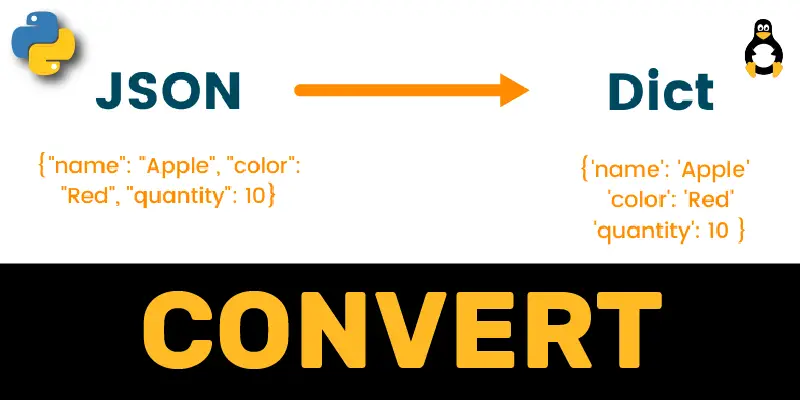
In Python, the “json.loads()” function of the JSON module is used to convert the simple and nested JSON data file into the dictionary.

In Python, “list comprehension using the if-condition” is used to create the list and perform an operation on the existing elements of a list.

A new user can be created on Ubuntu 22.04 using the “$ sudo adduser

The “package docker ce has no installation candidate” issue occurs when the Docker repository is not added. This error can be fixed by adding a repository.
To install Ubuntu 22.04 on Virtualbox, you need to create a virtual machine, and then the ISO file of Ubuntu 22.04 is added to the Virtual Machine.

To get the latest codecs on Ubuntu 22.04, you need to install the multimedia codecs using the “sudo apt install ubuntu-restricted-extras” command.

Password can be changed on Ubuntu 22.04 using the Command Line Interface ($ passwd

Visual Studio Code can be installed on Ubuntu 22.04 using the apt package manager “sudo apt install code” or using the “sudo snap install code –classic”.
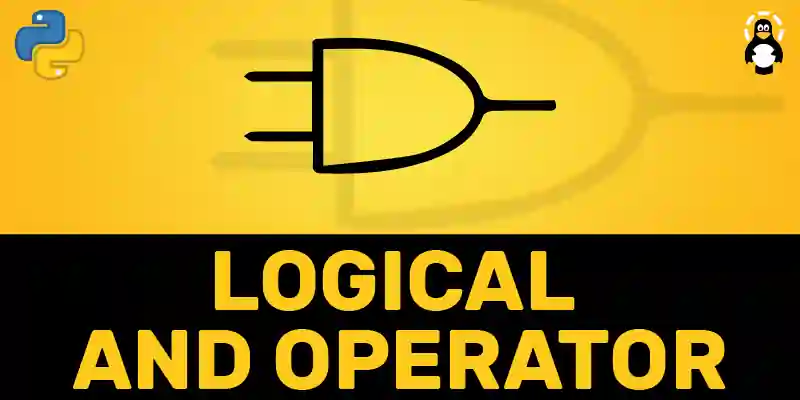
The logical “and” operator returns the boolean value “True” when both of the operands are “True”. This operator checks multiple conditions at one time.

The causes and solutions of python memory errors are discussed and how python memory error occurs due to the use of 32-Bit python installation.
In Python, an unexpected indent error is rectified by removing the wrong spaces or tabs from the code and following the code block structure.

The “read()” function, “read(n)” with parameter value, and “readline()” function is used to read a text file completely, specifically and line by line.

The mean of the NumPy array is calculated using the “np.mean()” function. This function can calculate the mean of “1D”,”2D”, and “3D” arrays along with the axis.

In Python, “Typecasting” converts the variable type into another data type by using a pre-defined function such as int(), str() and float(), etc.

The “failed to load module “canberra-gtk-module”” issue occurs when the GTK Module is missing and is fixed by installing the GTK Modules.

The error “export not a valid identifier” can be resolved by removing the spaces around “=” or naming the variable correctly.

The “No Bootable Medium Found” issue occurs when the optical disk is empty and is resolved by choosing the iso file of the operating system

To enable the VMware tools option, Remove the “CD/DVD” containing the ISO of guest machine. Now, set the other “CD/DVD” and “Floppy” disk to use physical drive

The “paths must precede expression: find” problem occurs due to the wrong syntax of find command and can be resolved by following the correct syntax and pattern.

To install the dpkg on Ubuntu 22.04, run the command “sudo apt install dpkg”. You can use the “-i”/“-r” options to install/remove packages using dpkg.

PuTTY can be installed on Ubuntu 22.04 by running the command “sudo apt install putty -y”. PuTTY serves as an SSH and Telnet client.

Run the command “sudo apt install PulseAudio -y” to install the PulseAudio server on Ubuntu 22.04. It is a helpful utility for modifying the original sound.

The “If Not” statement is used to execute the statements of a program when the condition is “False”. The “If Not” statement is used to check any empty iterable.

In Python, the “And Operator” along with the “if statement” is used to initialize/compare multiple conditions in a single line of code.

In Python, the “readlines()”,”readline()”, ”for loop”, and “List Comprehension” methods are used to read a file line by line.

In Python, the random module function “randint()”, “random() method”, “random.sample()” and “for loop with randint()” functions are used to generate random numbers.

In Python, the “for loop” function iterates over the sequence of elements of different iterable objects like tuples, strings, and lists.
To fix this, the Debian/Ubuntu users can use the command “sudo apt install python3-tk” and Fedore users can utilize “sudo dnf install python3-tkinter” command.

To verify if the Docker daemon is running, get the “status” or the “process Id” of the Docker daemon using “systemctl” and “pidof” commands.

The “sudo apt update” command is used to update the system repository. Using this command, the number of upgradeable packages is also provided.
The vnStat utility is used to monitor the network traffic on the Linux distributions through the command line without using the details of packets.

Emacs can be installed from snapcraft or flathub, but the convenient method is with the execution of “sudo apt install emacs -y” on Ubuntu 22.04.

Ubuntu 22.04 users can install glibc package by executing the command “sudo apt install glibc-source”. The installation method is described here in detail.

The most convenient method is by running the command “sudo snap install cmake –classic” on Ubuntu 22.04. However, other methods are also explained.

The application of the Chia Blockchain can be installed on Ubuntu by downloading its Debian package and installing it using the dpkg manager.

A virtual machine is used to run multiple operating systems on a single OS. This post demonstrates the procedure for using Ubuntu on a virtual machine.

In Python, the class name is obtained by different methods like “type().__name__”, and “__class__.__name__” and “nested “__qualname__” method.

In Python, the relational operator is used to draw a comparison between values. The return type of these operators is a Boolean (true or false).

Indentation refers to the “whitespaces” and “tabs” before code lines. In Python, the indentation needs to be used properly for the successful code’s execution.

The division operators divide two input “float” or “integer” data type numbers using “/” and “//” operators. Both operators provide different types of answers.

The “os.mkdir()” method is used to create new directories. The “os module” provides functionality in which the python script can interact with the OS.

Static class variables are used when we want the same variables among all other class instances. The usage of static class variables is described here.

Add the GPG key and repository of Jenkins on Ubuntu 22.04. After that, use the command “sudo apt install jenkins -y” to install Jenkins on Ubuntu 22.04

Redis can be installed using the command “sudo apt install redis-server”. To configure Redis, make the changes in the file named “/etc/redis/redis.conf”.

To install OpenOffice on Ubuntu 22.04, install the JDK. Then download and unzip setup file, move to the “en-US/DEBS/” directory, and install the “.deb” package.

Ubuntu kernel version can be checked using the “uname -r” and “cat /proc/version” command. To update it, download and install the “.deb” files of Kernel.

To install the telnet in Ubuntu 22.04, run the command “sudo apt install telnet -y” and then use the command “telnet [ip address]” to use telnet.

To install Zsh in Ubuntu 22.04, execute the command “sudo apt install zsh -y” and to switch between the shells, use the “exec [shell name]”

For the installation of Zlib package, open the terminal and execute the command “sudo apt install zlib1g -y” on Ubuntu 22.04